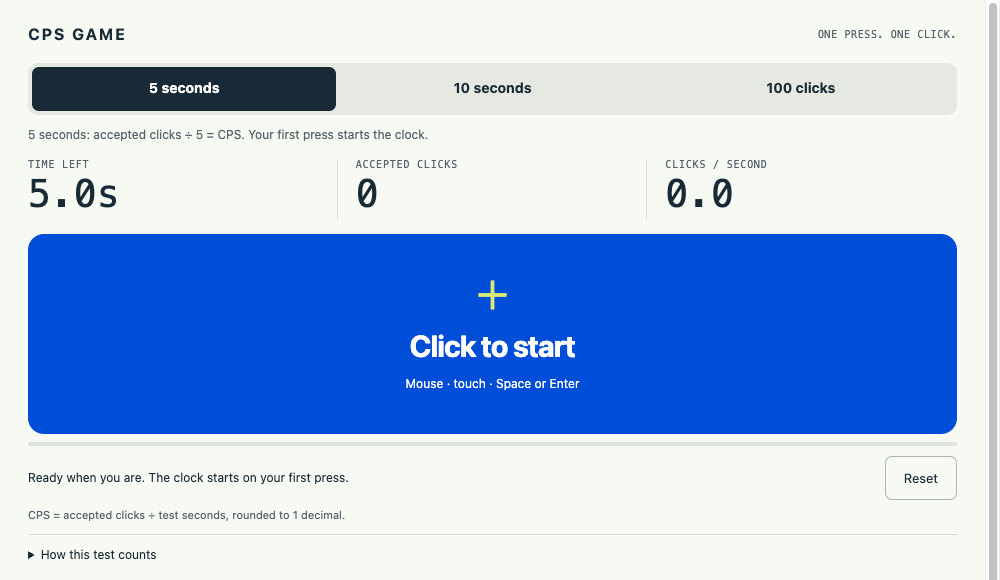
What the click speed test measures
A click speed test measures accepted presses over time. CPS means clicks per second: divide accepted clicks by test seconds, then round to one decimal. People also call this a cps test, click speed checker, click tester or click counter test. They describe the same game here. Your click speed test result does not measure mouse polling rate, reaction time or skill in another game.
The first accepted press starts the click speed test and counts as click one. Timing uses the browser's high-resolution performance.now() clock. Each press is checked against the deadline, so late presses cannot enter the total while the display waits to update. The click speed test display refreshes with animation frames; its visible tenths are not the underlying clock's precision. Timed modes always divide by the full five or ten seconds.
In the 100-click mode, the click speed test measures elapsed time from your first to your hundredth accepted press. Shorter times rank higher; CPS is 100 divided by elapsed seconds. Every click speed test mode filters keyboard auto-repeat and reports excluded intervals under 20 milliseconds. These rules clarify counting, but cannot prove that every visitor used manual input.
How to play the click speed test
Press Start above, then choose a click speed test mode. The game loads in place. Five seconds is the default; switching modes resets the round. Use Fullscreen to expand the player where your browser supports it. The click speed test needs no installation, account or payment.
- Mouse: press and release the primary button on the blue target. Each initial press counts once. An additional browser double-click event adds nothing, although two separate physical presses can both count if their spacing passes the filter.
- Keyboard: focus the target with Tab, then press and release Space or Enter. Holding a key accepts only its first press. Check the focus outline so the click speed test target receives your keys.
- Touch: tap with one finger, lifting it between taps. Only the primary contact counts. Extra simultaneous contacts do not convert a hold into more clicks. Keep taps inside the click speed test target.
Choose five seconds for a burst, ten seconds for sustained clicking, or 100 clicks for a fixed target. Timed rounds end automatically. The 100-click round ends at its hundredth accepted press, with a 600-second limit. Reset starts fresh. Leaving the click speed test, hiding the page or moving focus away cancels the active round without submitting a partial score.
What a good click speed test result looks like
A useful click speed test result is comparable with your earlier attempts. Hardware, browser behavior, input method and duration can change the score. Keep the same mode and setup when checking whether a change helped. Take several click speed test attempts instead of drawing conclusions from one unusually high result. Keyboard and touchscreen attempts are different measurements.
The click speed test boards show submissions, not a population average. All time and Today are separate for each mode. Player counts represent anonymous browser identities with scores on that board, not people currently online or verified unique humans. Empty boards say so. This click speed test does not invent an average CPS, rating or world record.
Look at accepted counts alongside CPS. If a click speed test round seems inconsistent, check for a changed device, held key, missed target or excluded interval. A ranking gives context within this site; it does not establish performance elsewhere.
How to click faster in the click speed test
Begin the click speed test from a stable, comfortable position. Put the pointer inside the target before starting, and keep it there. Release the mouse button fully between presses. On a touchscreen, make separate taps instead of resting your finger on the surface. These steps help the click speed test receive distinct presses without unnecessary pointer movement.
Change one thing per click speed test practice session. Keep the mouse and mode unchanged while comparing two comfortable hand positions. Use short rounds with breaks and inspect the accepted counts. To practice sustained rhythm, choose ten seconds and compare against other ten-second rounds. No technique guarantees a fixed CPS improvement for everyone.
Stop the click speed test if clicking feels uncomfortable. Macros and auto-clickers can manufacture input, but those results do not describe your manual clicking. The site filters short intervals and rejects out-of-range scores. It cannot guarantee absolute cheat prevention or certify leaderboard entries as human performances.
How your click speed test score is saved
A completed click speed test submits to the site's player service for All time and Today. Each anonymous player keeps one best score per mode and period. Timed boards accept 0–20 CPS, higher first. The 100-click board accepts 3–600 seconds, lower first. A local result outside those ranges still appears on screen, but its submission is rejected.
A first-party cookie identifies your browser for the click speed test. Scores live in the site's hosted database under an anonymous Player name. Playing requires no email address. Other visitors see leaderboard names and scores. The current round lives in page memory and disappears on reload. There is no account dashboard, cross-device sync or full attempt history.
Clear this site's cookies and site data to disconnect your browser from its previous click speed test identity. That does not automatically delete old server-side scores. For removal, use Contact with the mode, board, Player name and score. If saving fails, the game remains playable and invites another attempt. Refresh reloads the selected board.
Click speed test FAQ
Can I use the click speed test on my phone?
Yes. Open the page in a modern mobile browser and tap the target with one finger. The player fits the page width. Fullscreen support varies by device and browser.
Does the click speed test need a download?
No. The game runs in your browser. Press Start, choose a mode and begin. No extension, app installation or account is required.
Is the click speed test free?
Yes. All three modes are free to play. There is no payment step or paid score submission.
How accurate is this click speed test?
It uses performance.now() for elapsed time, rejects late timed presses, filters keyboard repeats and excludes intervals under 20 ms. Results are rounded to one decimal. Device and browser differences still matter, and these checks do not certify manual input.
Why did my click speed test score not save?
A request may fail because of connectivity, service limits or a score outside the accepted range. Your local result remains visible. You can play again; Refresh checks the selected leaderboard. One board may save even if the other request fails.
Why does leaving the click speed test cancel a round?
A hidden or unfocused page can change how the browser schedules work. We cancel that round so background time is not treated as a completed test. Return, select Reset and start again.
What's your best CPS?
Share your mode and input method. A useful tip beats a big claim.
No comments yet. What was your best five-second result?